> ## Documentation Index
> Fetch the complete documentation index at: https://docs.getmetal.io/llms.txt
> Use this file to discover all available pages before exploring further.
# Run Attribute Extraction
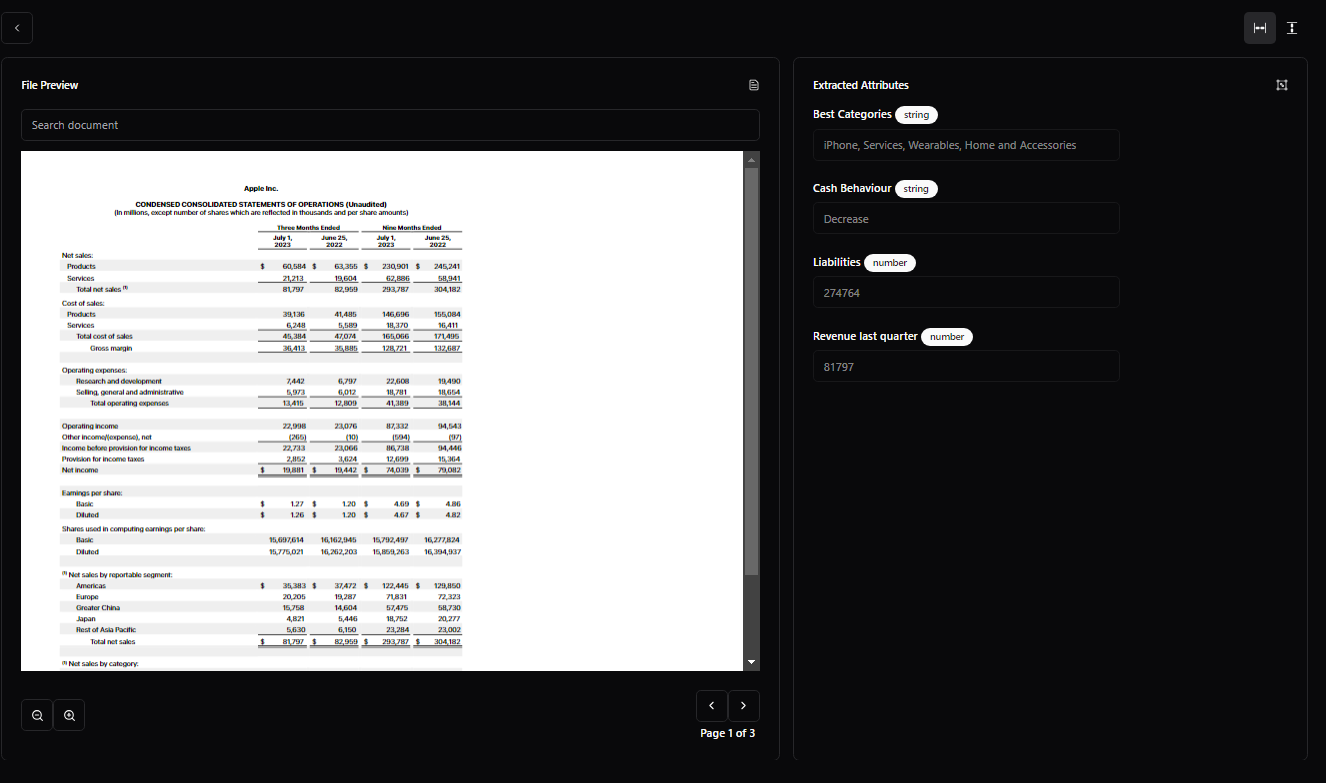
> Identify and retrieve specific pieces of information from unstructured data and transform them into a structured format.
Identify and retrieve specific pieces of information from unstructured data and transform them into a structured format.
This is useful for extracting information from documents such as invoices, receipts, and contracts.
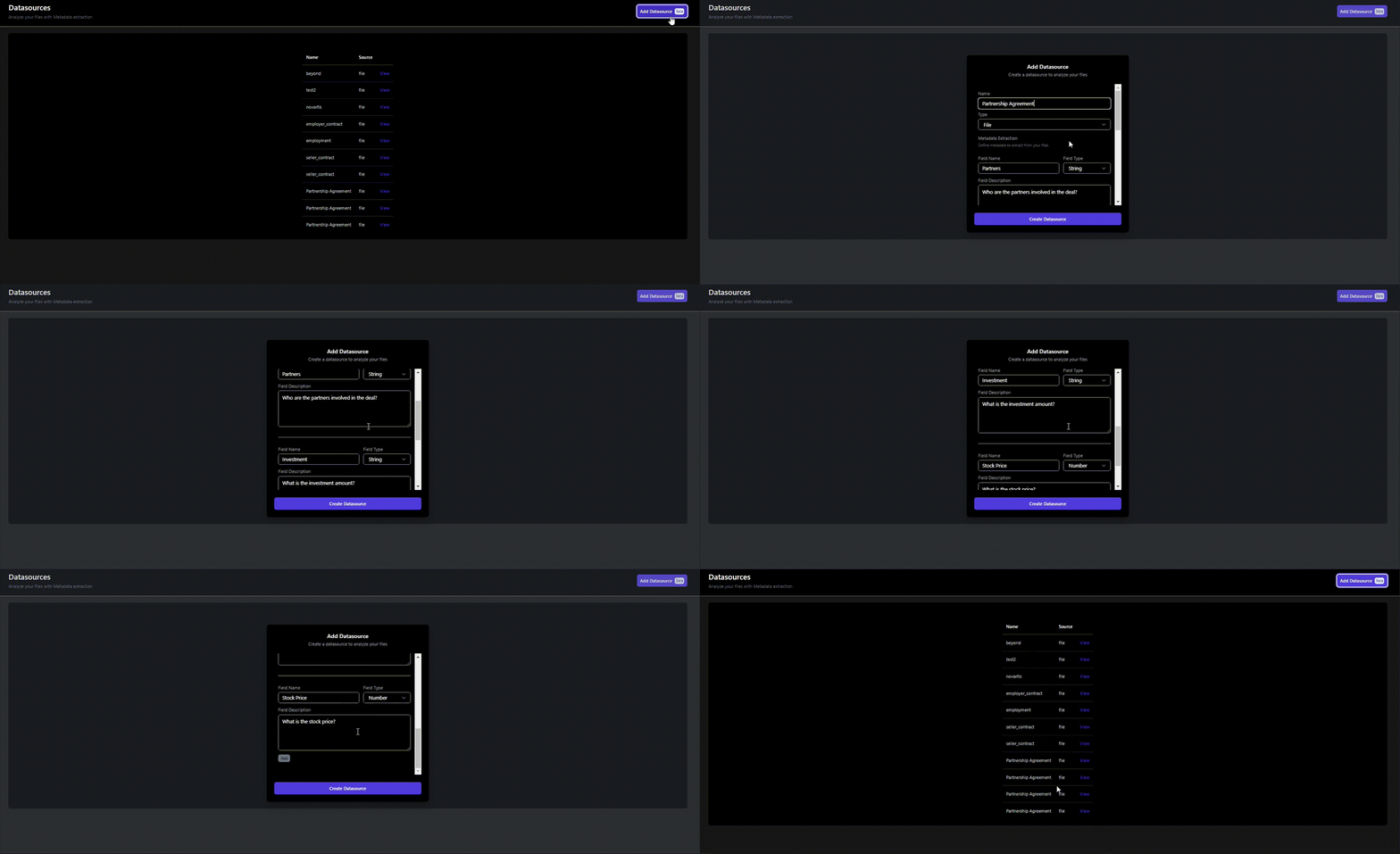
Begin by creating a Datasource and specifying the attributes to extract. Then upload a Data Entity (pdf, docx, or csv) and stand by for the extracted results.
## 1. Add a Datasource
Log into your [Metal Account](https://app.getmetal.io/login) to get started.
Navigate to the [Datasource](https://app.getmetal.io/datasources) page and add a Datasource specifying the attributes to extract. Use the description box to guide the LLM.
 ## 2. Add a Data Entity
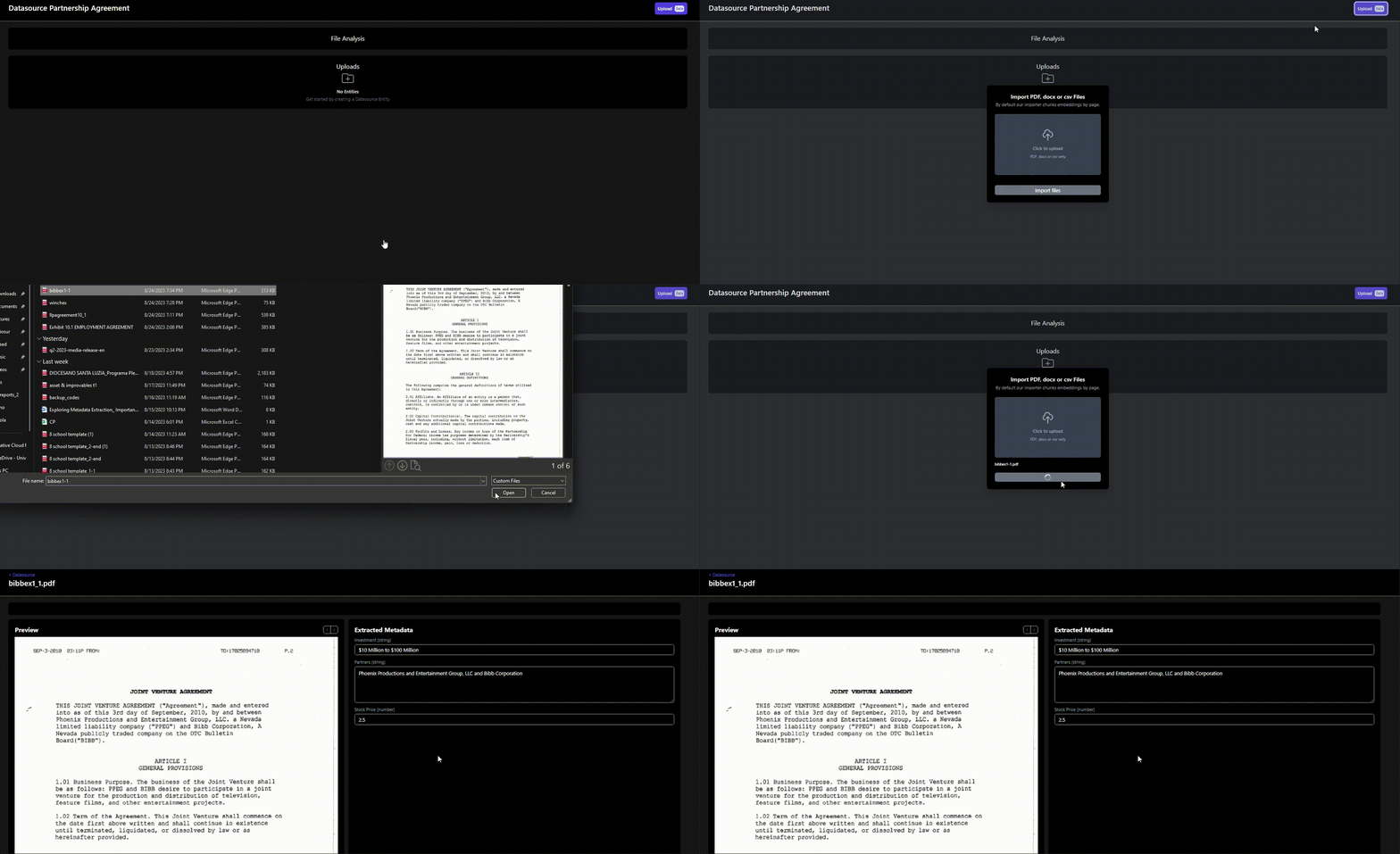
Next create a Data Entity by uploading a file (pdf, docx, or csv) and stand by for the extracted results. Note you can add multiple Data Entities to the same Datasource.
## 2. Add a Data Entity
Next create a Data Entity by uploading a file (pdf, docx, or csv) and stand by for the extracted results. Note you can add multiple Data Entities to the same Datasource.
 ## 3. View the Results
Once the Data Entity has been processed, you can view the extracted results.
## 3. View the Results
Once the Data Entity has been processed, you can view the extracted results.