> ## Documentation Index
> Fetch the complete documentation index at: https://docs.getmetal.io/llms.txt
> Use this file to discover all available pages before exploring further.
# Analyze User Queries
> Understand your users interactions
## Overview
Metal provides a way to analyze user queries and understand how users interact with your application.
This is done by accesing the `Analytics` tab in your [application dashboard.](https://app.getmetal.io)
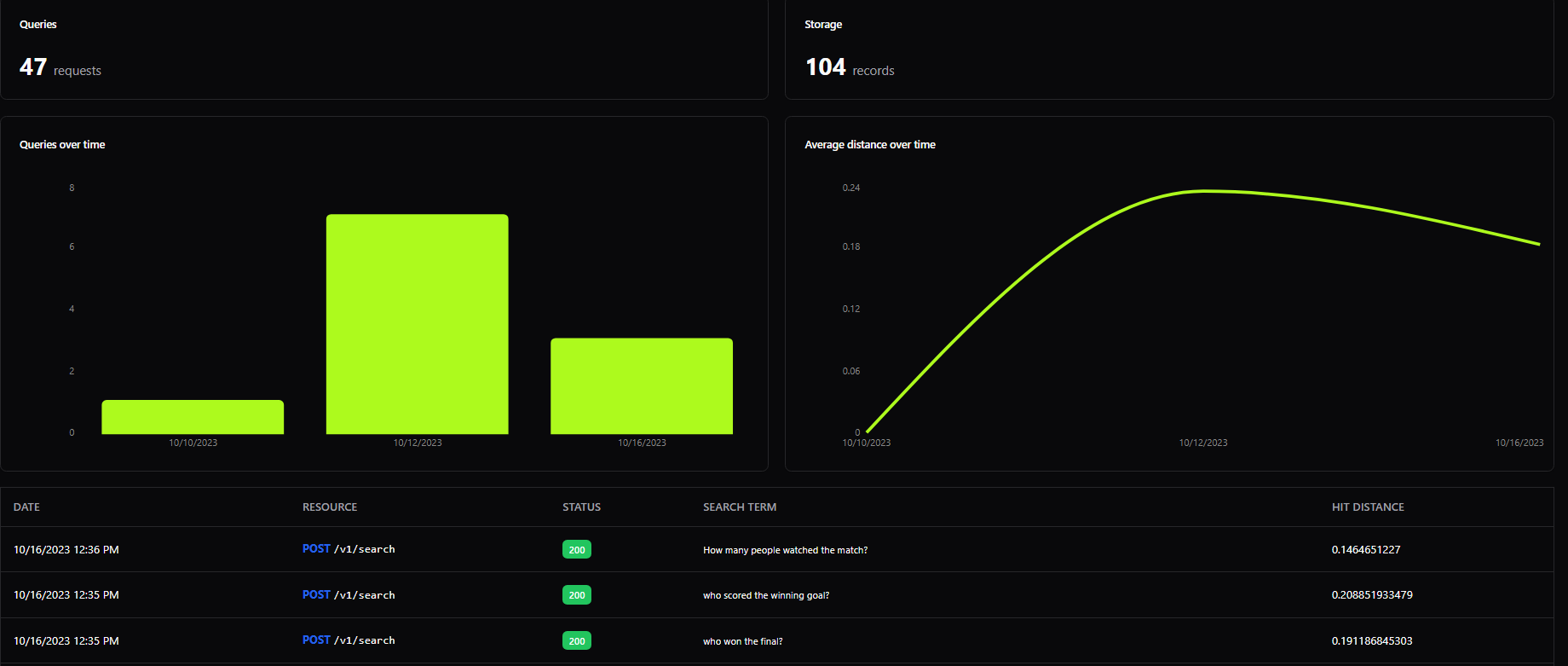 You can also access the queries via the [Metal API](http://localhost:3000/rest-api/analytics/get-queries).
```python Python theme={null}
metal.get_queries("index_id")
```
```javascript Node theme={null}
const queries = await metal.getQueries("index-id");
```
The response will be an array of objects, each representing a query.
```json theme={null}
{
"data": [
{
"t": "2023-08-30T11:34:35.128Z",
"d": 0.176956892014,
"q": "Who is the best drummer of all time?"
},
{
"t": "2023-08-29T11:34:18.099Z",
"d": 0.156819581985,
"q": "Which band is represented by the iconic mascot Eddie?"
}
]
}
```
Where:
* t: Timestamp of the query
* d: Cosine distance between the search query and the retrieved embedding. A smaller value indicates a closer match.
* q: Actual user query
You can also access the queries via the [Metal API](http://localhost:3000/rest-api/analytics/get-queries).
```python Python theme={null}
metal.get_queries("index_id")
```
```javascript Node theme={null}
const queries = await metal.getQueries("index-id");
```
The response will be an array of objects, each representing a query.
```json theme={null}
{
"data": [
{
"t": "2023-08-30T11:34:35.128Z",
"d": 0.176956892014,
"q": "Who is the best drummer of all time?"
},
{
"t": "2023-08-29T11:34:18.099Z",
"d": 0.156819581985,
"q": "Which band is represented by the iconic mascot Eddie?"
}
]
}
```
Where:
* t: Timestamp of the query
* d: Cosine distance between the search query and the retrieved embedding. A smaller value indicates a closer match.
* q: Actual user query