> ## Documentation Index
> Fetch the complete documentation index at: https://docs.getmetal.io/llms.txt
> Use this file to discover all available pages before exploring further.
# Add an Index
> Indexes in Metal represent a particular ML based experience (eg Video Ranking).
## Adding a Metal Index (`indexId`)
Log into your [Metal Account](https://app.getmetal.io/login) to get started.
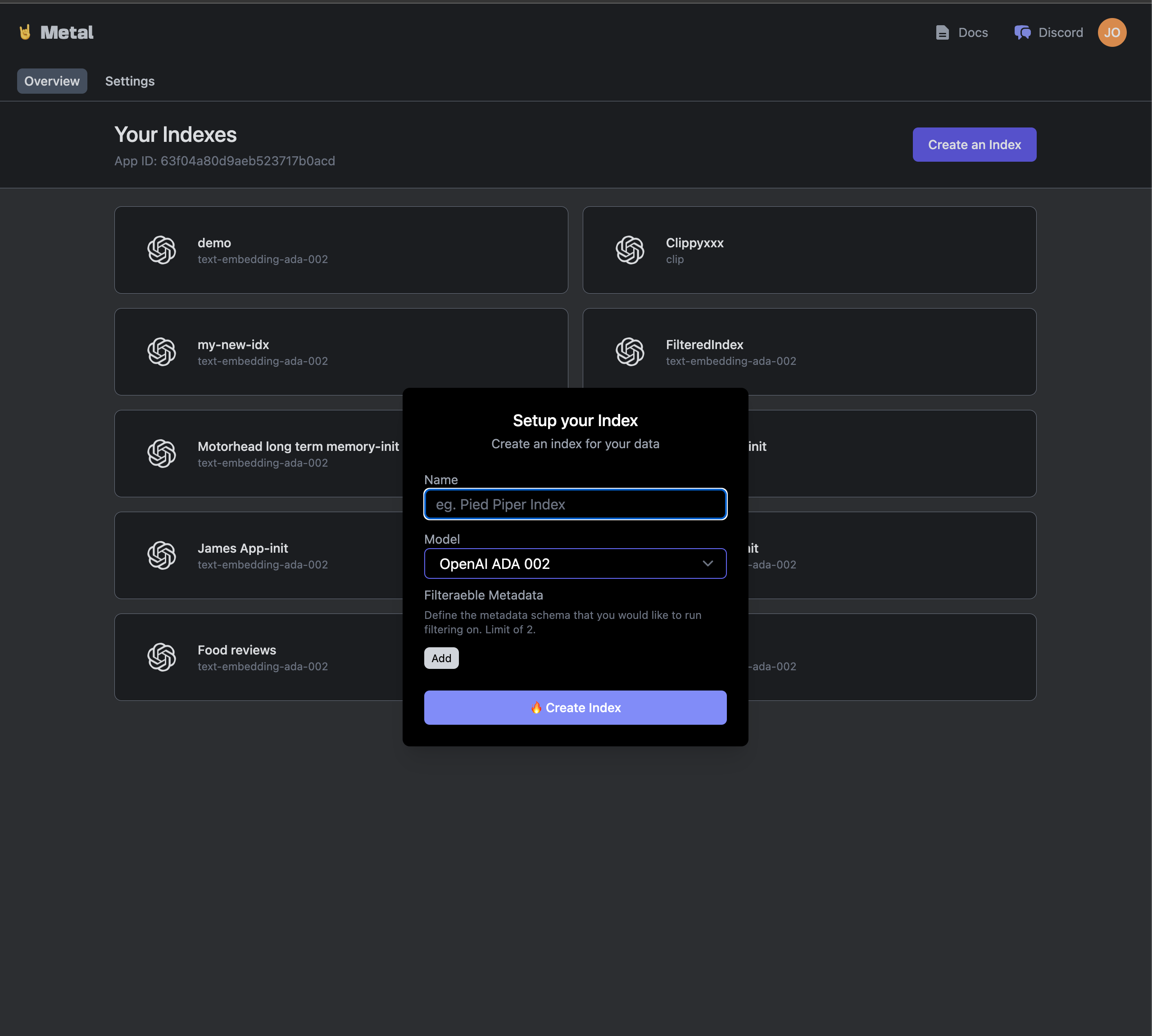
First, we'll want to create an Index within the [Metal Dashboard](https://app.getmetal.io). Eg:
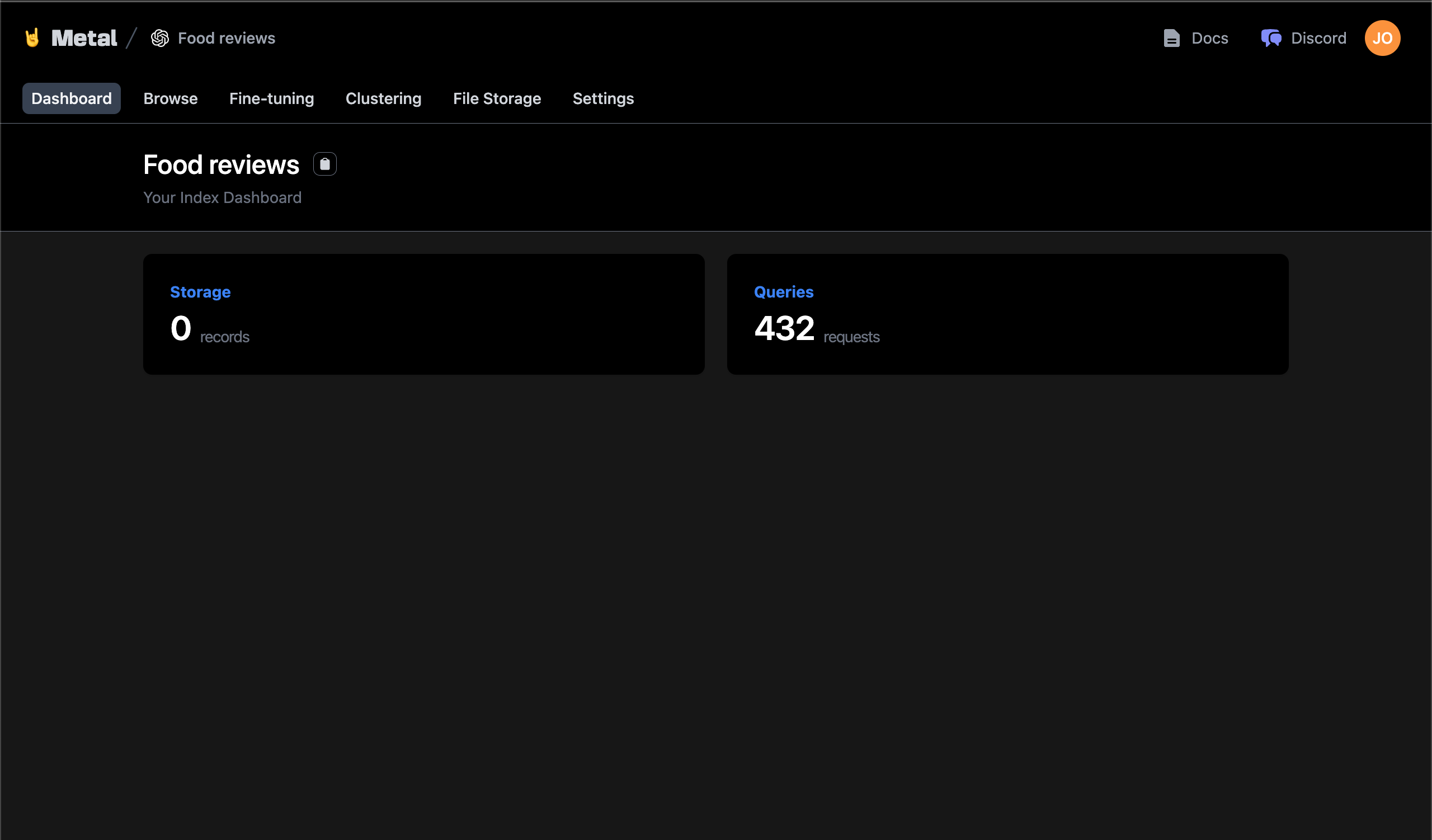
 After creation, you should be able to access the Index Dashboard:
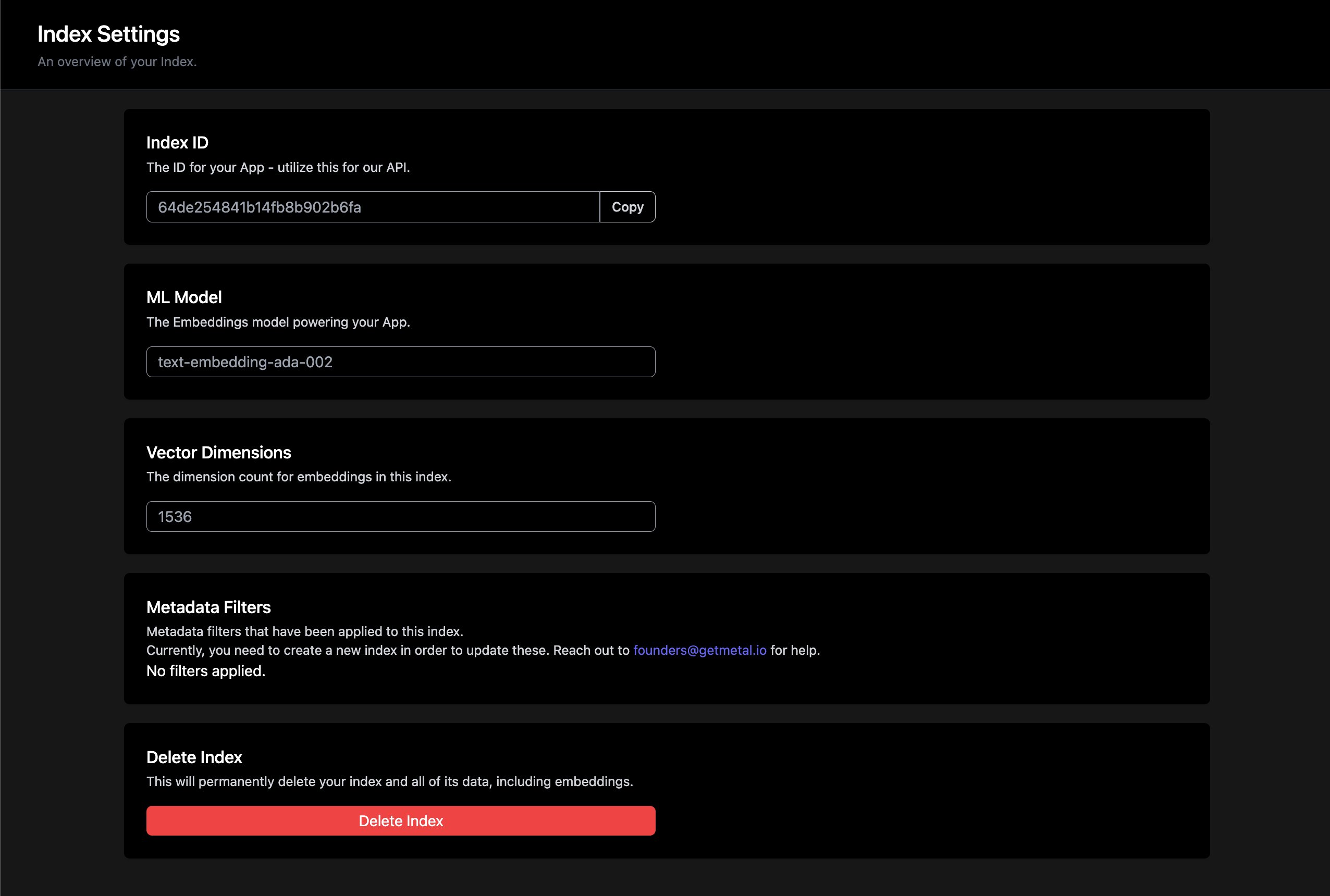
 Note: You can find the `indexId` in the settings of your Index Dashboard.