> ## Documentation Index
> Fetch the complete documentation index at: https://docs.getmetal.io/llms.txt
> Use this file to discover all available pages before exploring further.
# Build a Chatbot
> Build a custom chatbot on your data in just a few steps.
## 1. Create an App
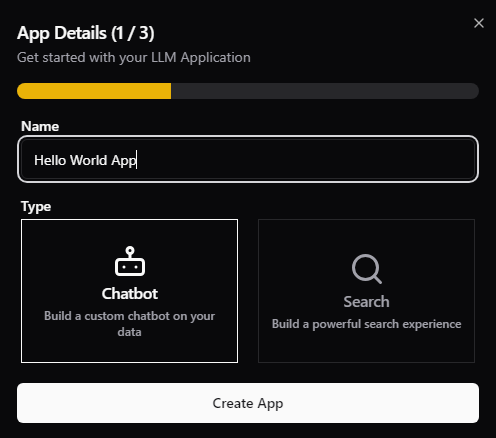
Go to your organization [Dashboard](https://app.getmetal.io) and start by creating a new App. Give it a name and select type: Chatbot.
 ## 2. Connect to Datasource
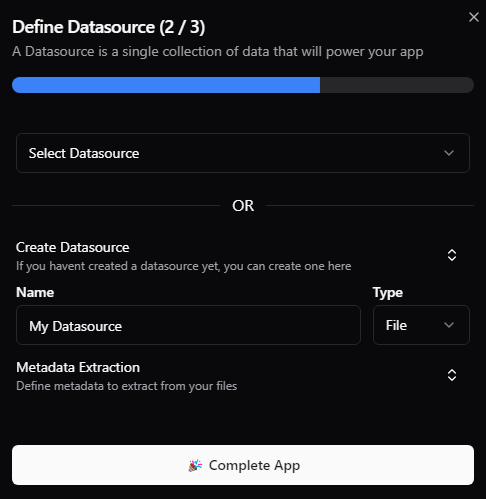
A Datasource is a collection of data that will feed your app. You can add multiple files or Data Entities to a Datasource.
Connect your app to an existing Datasource or create a new one.
## 2. Connect to Datasource
A Datasource is a collection of data that will feed your app. You can add multiple files or Data Entities to a Datasource.
Connect your app to an existing Datasource or create a new one.
 ## 3. Add Data Entities
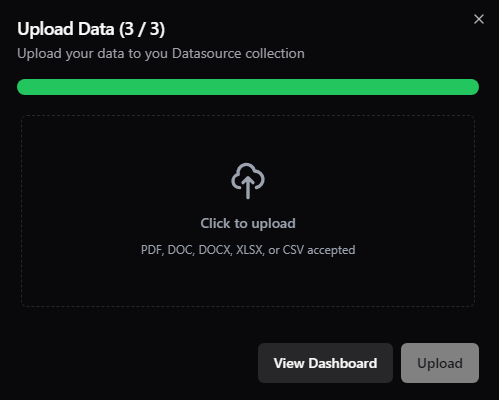
A Data Entity is a single file or entry in a Datasource. Accepted file formats are PDF, DOC, DOCX, XLSX, and CSV.
After you've added a Data Entity, Metal will create an Index, process the data into chunks, and generate the embeddings that will be used to match the user's input to the right response.
## 3. Add Data Entities
A Data Entity is a single file or entry in a Datasource. Accepted file formats are PDF, DOC, DOCX, XLSX, and CSV.
After you've added a Data Entity, Metal will create an Index, process the data into chunks, and generate the embeddings that will be used to match the user's input to the right response.
 ## 4. Deploy your Chatbot
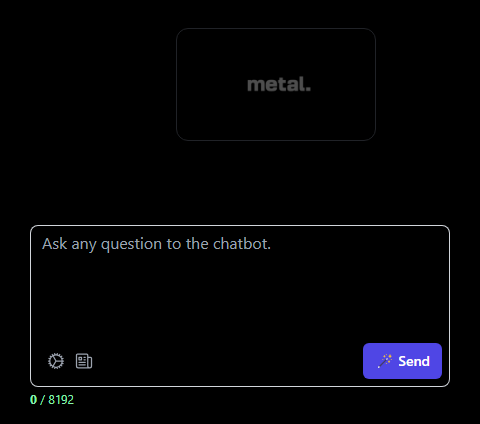
Try out your chatbot with Metal's open source [Chatbot UI](https://github.com/getmetal/chatbot).
Start by cloning the repo and following the instructions in the README.
You'll need to add Open AI `API Key`, and Metal's `API key`, `Client Id` and `Index Id` to the `.env.local file`.
## 4. Deploy your Chatbot
Try out your chatbot with Metal's open source [Chatbot UI](https://github.com/getmetal/chatbot).
Start by cloning the repo and following the instructions in the README.
You'll need to add Open AI `API Key`, and Metal's `API key`, `Client Id` and `Index Id` to the `.env.local file`.